

Excel is great for working with data. PowerPoint is great for presenting it.
The challenge is keeping those up to date when the data changes.
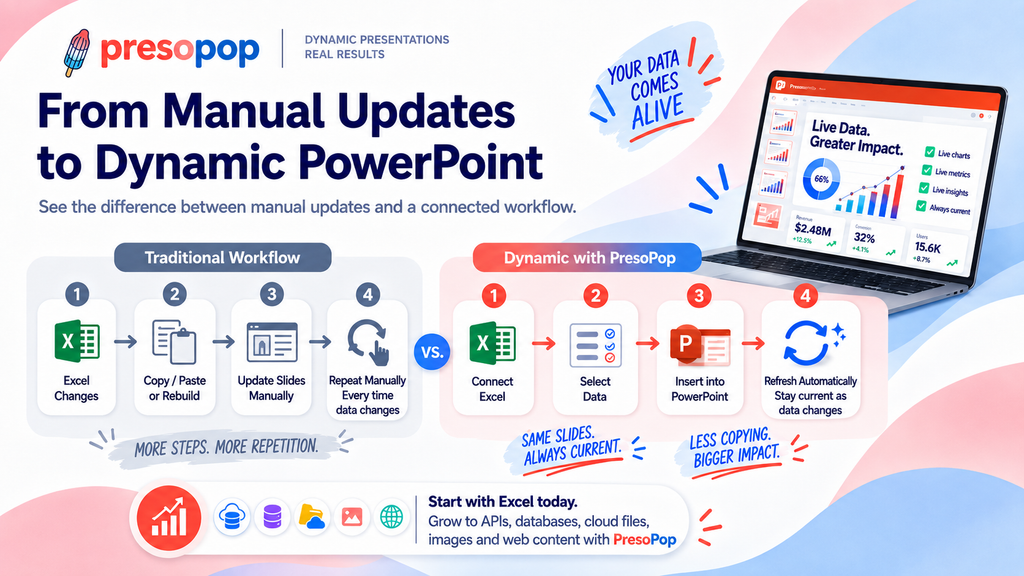
If you copy a chart, table, or value from Excel into PowerPoint, that information can quickly become outdated. When the next reporting cycle arrives and you're back to copying, pasting, checking numbers, and updating the slides all over again.
The Traditional Way
For a one-time presentation, copying and pasting from Excel may be all you need.
PowerPoint also provides built-in ways to link Excel content to a presentation, which can be useful when you're working with a small number of spreadsheets and slides.
But recurring presentations can get more complicated. You may have multiple workbooks, different file versions, changing locations, and dozens of pieces of information that change on a regular basis and need to stay current.
That's when a simple presentation can turn into a recurring task that may seem like tedious busy work.
A Simpler Approach: Connect Your Data
PresoPop makes it easy to connect Excel data to PowerPoint and keep the information in your slides current.
The process is simple:
Connect → Select → Insert → Refresh
Connect to your Excel data, select the information you want, insert it into your presentation, and refresh it when the source changes.
Instead of repeatedly rebuilding the same slides, you can keep the presentation you've already designed and update the information behind it.
Go Beyond Excel
Excel may only be the start of your process. With Presopop you no longer need Excel as a middleman app, just the data source to connect.
Information in modern companies can come from spreadsheets, CSV files, JSON, cloud files, APIs, databases, images, and the web.
PresoPop brings these sources together so PowerPoint can become the presentation layer for all of your changing information without having to use Excel as a middle man.
You can now use Powerpoint for what its great at, Presentations, and connect all your data for:
- Financial reports
- Board presentations
- Corporate and Sales dashboards
- Client reports
- Management presentations
- Consulting deliverables
- Recurring operational reports
- Educational Material
Keep the Presentation. Update the Data.
Your PowerPoint presentation shouldn't become outdated just because the spreadsheet changed.
With PresoPop, you can connect your data once, build the presentation you want, and refresh the information automatically.
Less copying. Less updating. Less out of date data, more current presentations.